Built on OpenCode Official API · Available for iPhone

OpenCode
in Your Pocket.

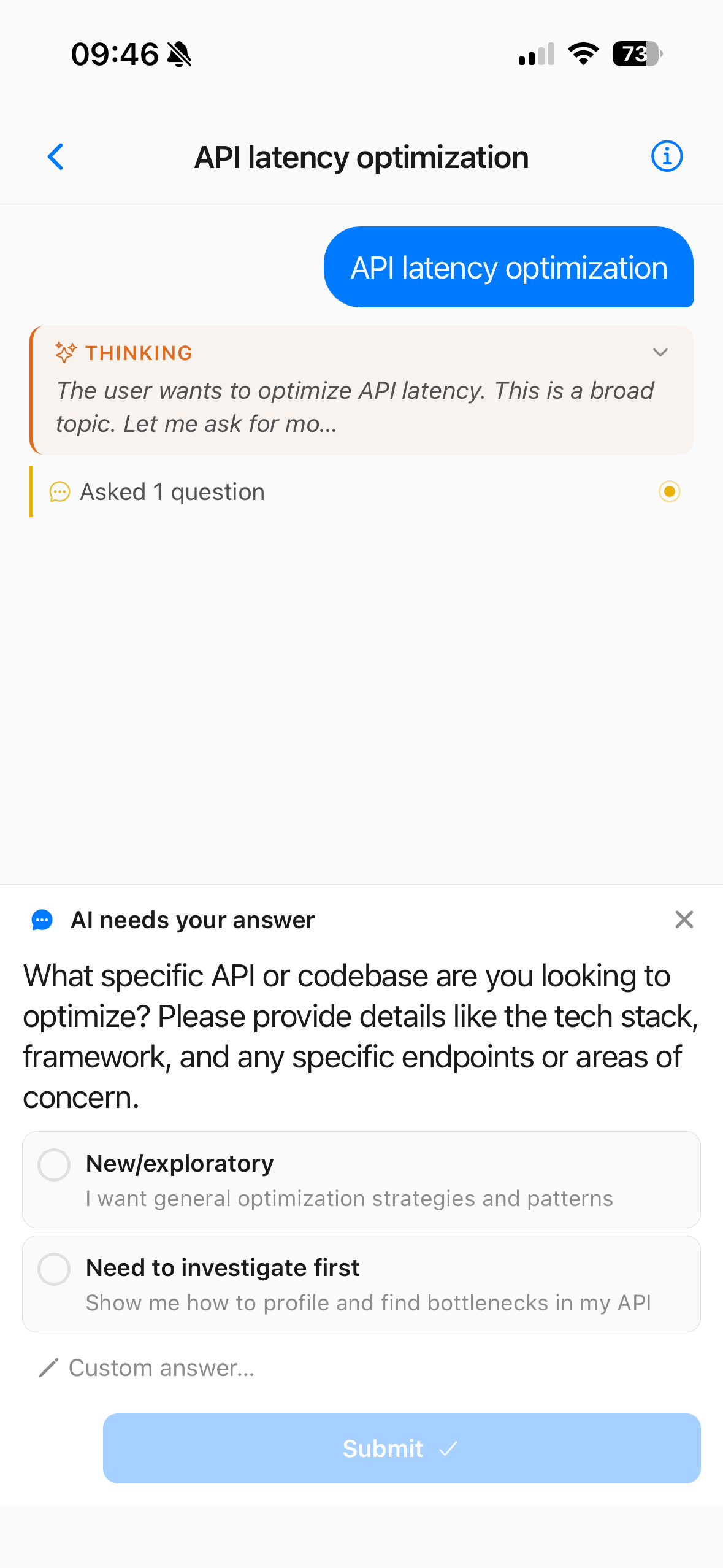
Run opencode serve on your dev machine, chat with AI coding sessions from your phone. On the commute, at a café, in bed — streaming responses, permission approvals, multi-project switching, all without modifying OpenCode, using only its official API.

iOS 15+ Android · Coming soon Official API kkcode.app
FEATURES

Designed for Remote Real-Time.

KKCode fully wraps the OpenCode official API, giving you the same session experience on mobile as on desktop. Whether you're reviewing a diff on the train, checking a build status from bed, or continuing a debugging session from a café — opencode on your phone keeps you in the loop without pulling out a laptop.

Streaming Chat

AI text, reasoning traces, tool calls, and file I/O pushed to your screen in real time — same typewriter effect as desktop. Auto-reconnects on drop.

Permission Approvals

When AI wants to read files, edit code, or run commands, a prompt pops up. One tap — Allow Once / Always / Reject — keeps you in full control.

Encrypted Credentials

Server address, username, and password are encrypted and stored locally on your device — never sent to any third-party server.

Multi-Project Switching

Automatically lists all project directories on your dev machine. Switch with one tap; sessions are fully isolated between projects.

Session Management

Create, delete, and long-press for more options. History is always accessible; resume any previous conversation with full context.

Status Indicator

Live nav-bar badge shows Connected / Connecting / Error — network issues are always visible.

HOW IT WORKS

Dev Machine is Backend, Phone is Terminal.

KKCode isn't a clone of OpenCode — it's a remote control. We only call OpenCode's official API. All AI inference, file I/O, and command execution happen on your dev machine; the phone just renders and confirms. This means you get the full power of opencode — including multi-file editing, terminal access, and complex tool chains — from a mobile interface.

Dev Machine · Mac / Linux
opencode serve
OpenCode Official
HTTP / SSE API
iPhone
KKCode
Official API client
Just add your server URL
01 Start the Official Service

Run opencode serve on your dev machine. It exposes OpenCode's built-in HTTP API.

02 Pick a Network Path

Public IP is easiest; no public IP? Use Tailscale / WireGuard / Cloudflare Tunnel / frp / ngrok — any tunnel works.

03 Connect on Phone

Enter your server URL and password in KKCode. Credentials are encrypted locally.

04 Start Chatting

Pick a project directory, open a session, send a prompt — all responses come from your own dev machine.

QUICK START

Run OpenCode in Three Steps.

Prerequisite: opencode is already installed on your dev machine.

OpenCode Setup Steps

1

Start the server on your dev machine

# Set a random access password
OPENCODE_SERVER_PASSWORD='your-password' \
  opencode serve \
    --hostname 0.0.0.0 \
    --port 4096
2

Choose a network path

# Pick one that lets your phone reach the dev machine:

# A · Public IP (easiest)
http://your-public-ip:4096

# B · Tailscale / WireGuard
http://100.x.x.x:4096

# C · Tunnel
# Cloudflare Tunnel / frp /
# ngrok / etc.
3

Configure the connection on phone

# Fill in KKCode's connection screen:
Server URL = http(s)://your-address:4096
Username   = opencode
Password   = <password from Step 1>

# Credentials are encrypted on-device

Tip: If exposing to the public internet, strongly recommend an HTTPS reverse proxy (Caddy, Nginx, or Cloudflare all work) and a strong password.

DOWNLOAD

Get KKCode for iPhone.

Available on the App Store. Android coming soon.

KKCode for iOS
iOS 15+
  • Now available on the App Store
  • Designed for iPhone
Android version
In development
  • Android release is in development
  • Follow along for launch updates
FAQ

Frequently Asked Questions.

How does the phone connect to my dev machine? Is Tailscale required?
Not required — any path that lets your phone reach the machine works. Common options:
Public IP — simplest if your machine has one;
Tailscale / WireGuard / ZeroTier — encrypted VPN between phone and machine;
Tunnel — Cloudflare Tunnel, frp, ngrok, or similar expose the local service to the internet.
Using a public network? HTTPS reverse proxy + strong password recommended.
Does it modify OpenCode? Does any data go to third-party servers?
No. KKCode is purely a client for OpenCode's official API — OpenCode itself is not modified, and there is no backend server of ours. All chat, code, and command execution happen on your dev machine; the phone is just a remote control.
Does it support push notifications?
Not in the current version. The app receives messages continuously while in the foreground or briefly in the background. Push notifications are planned for a future release.
Is my password safe?
Credentials are stored only on your device (system-level encrypted storage) and sent directly to your own dev machine — never through any third-party server. KKCode also collects no telemetry data.
Which devices can I install it on?
KKCode is currently available for iPhone running iOS 15 or later. The Android version is in development — stay tuned.
What is opencode and why would I want to use it on my phone?
opencode is an AI coding tool that runs on your development machine. It handles everything from reading and editing source files to running build commands and git operations — all powered by large language models. KKCode brings this entire experience to your iPhone by connecting to an opencode server you already have running. Whether you're reviewing code changes on the go, approving AI permission requests from anywhere, or continuing a coding session from the couch, opencode on mobile works exactly as it does on desktop.
Does KKCode work with self-hosted language models?
Yes. Because KKCode only interfaces with opencode's official API, any model that opencode supports — including self-hosted models via Ollama, LM Studio, or custom API endpoints — works automatically. The opencode server on your dev machine handles model selection and inference; KKCode just streams the results to your phone.