01 / moment
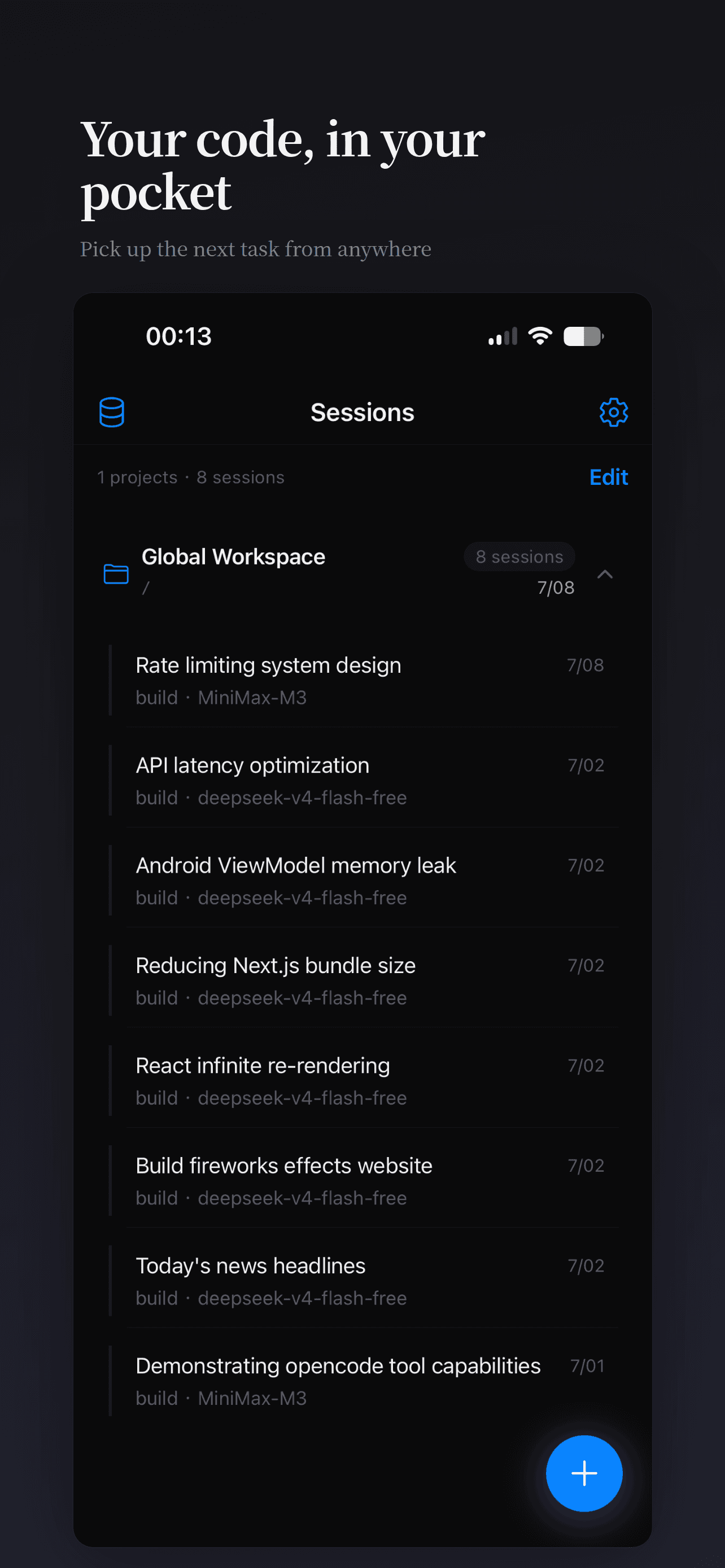
Find the task that needs you
Resume the right OpenCode session in the right workspace instead of starting a disconnected mobile chat.
OPENCODE MOBILE FOR IPHONE & IPAD
KKCode is the independent OpenCode Mobile client for the OpenCode server you already run. Start an OpenCode Mobile session, watch the agent work, inspect files, and answer approvals from your phone — while the repository, models, and execution stay on your development machine.
Available on the App Store
A native iPhone and iPad client, ready to pair with your own server.
Your workspace stays put
Repository access, tools, models, and execution remain on your development machine.
Independent OpenCode client
Uses the OpenCode HTTP / SSE API without creating a second workspace.
The important moments when you step away from the desk: find the work, understand what the agent did, then decide the next move.
Resume the right OpenCode session in the right workspace instead of starting a disconnected mobile chat.
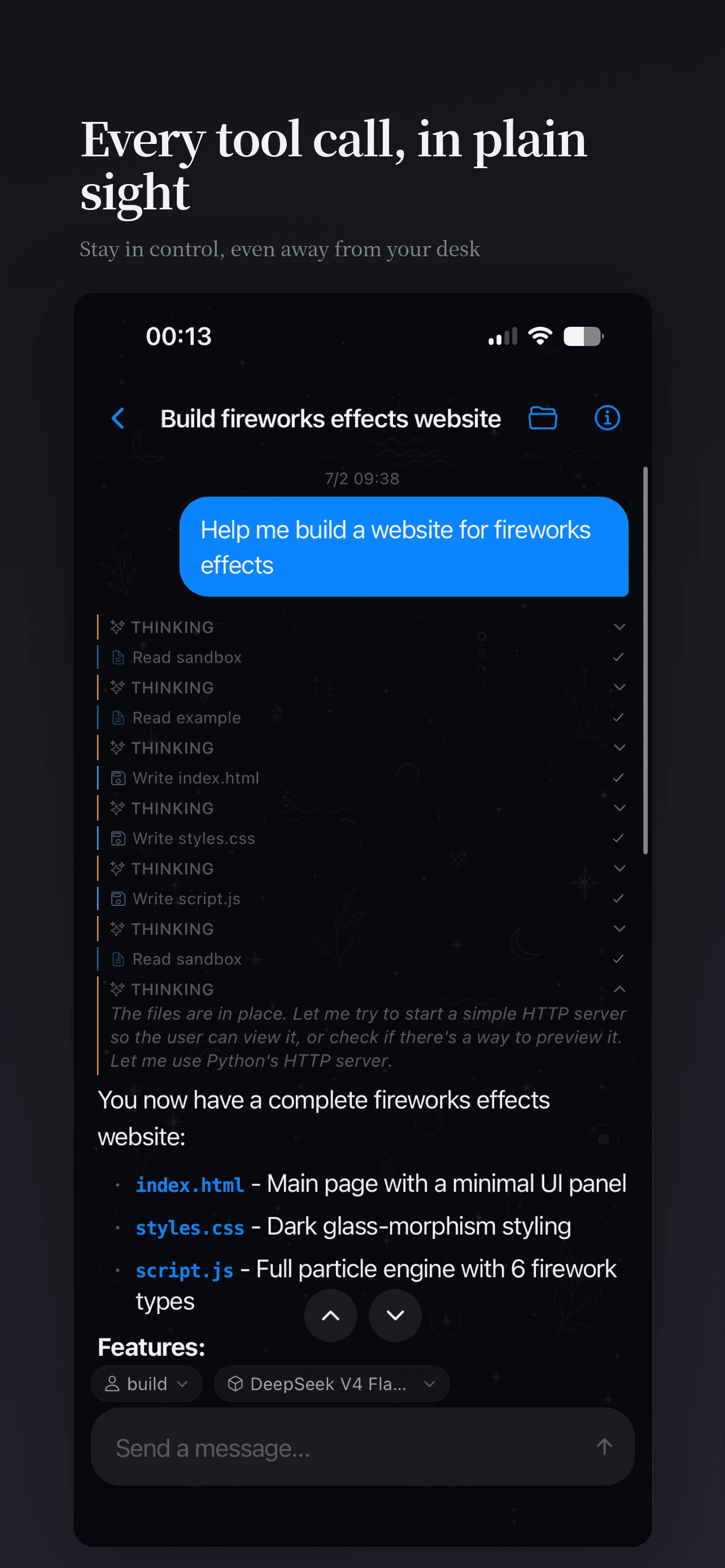
Read streaming activity, reasoning, file operations, and command output in the same task context.
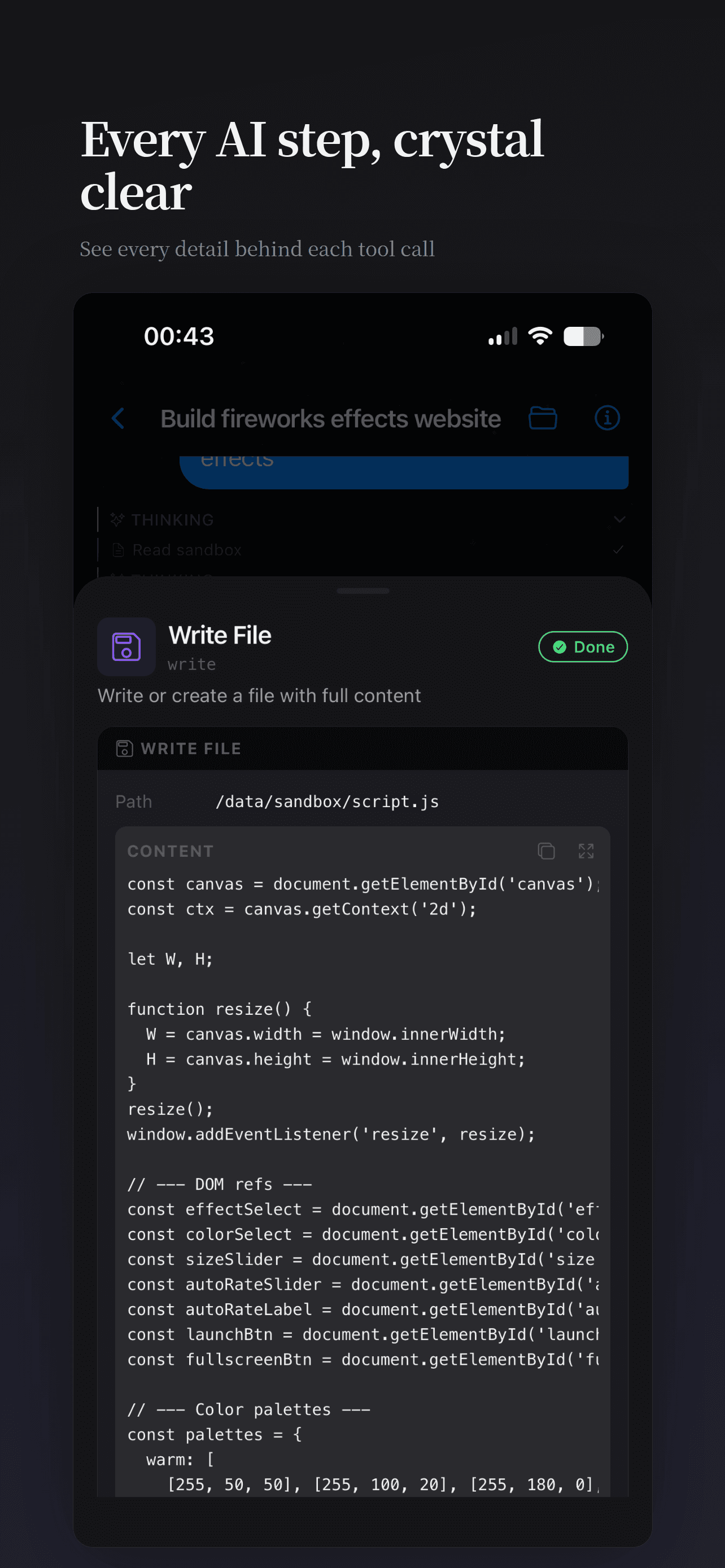
Review files and details, answer a prompt, or hand the task back to the agent with a precise follow-up.
Download KKCode for iPhone and iPad today. The Android build is in active testing — join the waitlist to be notified when public distribution opens.
KKCode is a remote control, not an OpenCode replacement. AI inference, repository access, and command execution remain on the machine that owns the project; the phone renders the task and lets you make the next decision.
The real workspace, credentials, and tools stay on the development machine. KKCode never needs a copy of the repository.
Use the QR companion flow for the fastest start, or bring a private VPN, LAN, or HTTPS reverse-proxy path.
Monitor work, approve an action, answer a question, inspect the result, and send the next precise instruction.
Every feature earns its place by helping you understand, steer, or review work that is still running on your own machine.
Stream text, reasoning, tool calls, and file events in the active session, with reconnect handling when the route changes.
Review a request in context and respond before the agent is blocked on the next file operation or command.
Browse project files and inspect code changes from the app before you decide what the next instruction should be.
Choose the workspace first, then continue the correct session with its model, agent, and conversation context intact.
The QR flow is the fastest remote setup. It starts OpenCode on loopback and creates the phone route for you. New to OpenCode? Install it first.
# On the development machine
npx -y @kkcode-app/agent@latest
# It starts OpenCode on loopback
# and prints a pairing QR code# In the mobile app
Servers → Scan tunnel QR code
# The connection details are paired
# without manually entering a public address# Open the session list
Choose your project
Resume a session or start one
# Review, approve, or send a follow-upSecurity note: The QR route uses the KKCode relay to reach the local companion agent. If your policy requires an infrastructure-only route, use Tailscale, a private LAN, or your own HTTPS proxy instead.
Nine practical articles answer the questions that happen before and after install: what OpenCode Mobile is, how it connects, when mobile beats the web UI, and how to keep the route secure.
Recommended architecture: the dev machine runs OpenCode, the phone is the control surface.
Choose the right surface for approvals, monitoring, focused follow-ups, and full desktop work.
LAN, Tailscale, Cloudflare Tunnel, reverse proxy, or the built-in QR tunnel.
Threats, minimum controls, credential handling, and incident response.
OPENCODE MOBILE, READY WHEN YOU ARE
Download KKCode for iPhone and iPad, then pair it with the OpenCode server that already owns your work.
Download KKCode on the App Store